Google Business Profile Optimization for Multiple Locations in Mumbai
A complete guide to managing Google Business Profile across multiple Mumbai branches — location groups, NAP consistency, reviews, and reporting.
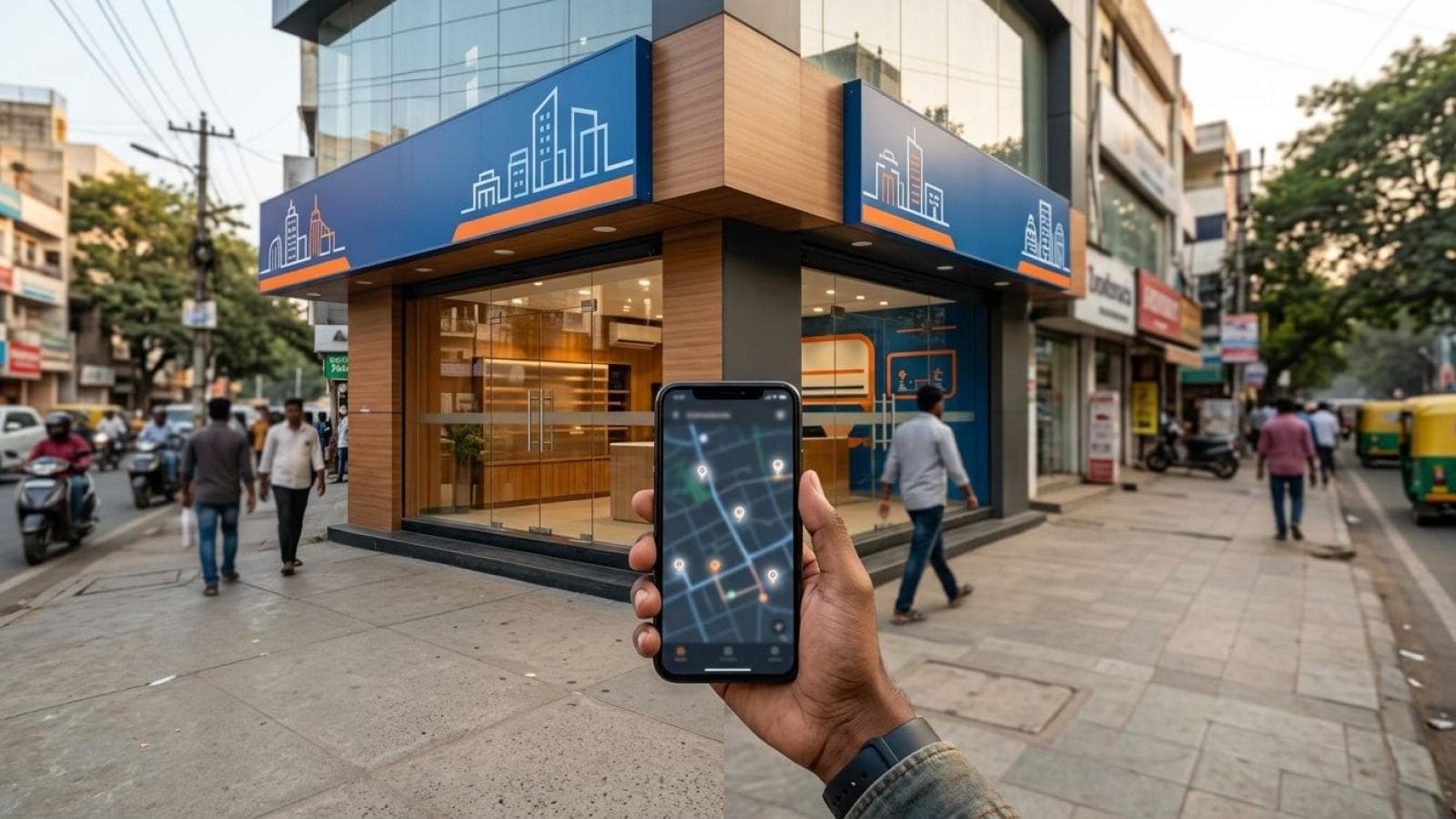
If you run three, five, or twenty branches across Mumbai and beyond, one Google Business Profile can't represent your business honestly — and Google requires a separate profile for every physical location. Multi-location Google Business Profile management means using Google's location groups to create, verify, and run one profile per branch under a shared organisation account, so each address competes on its own merits in local search while your brand still looks consistent everywhere. Get the structure wrong and you risk suspended listings, branches invisible in Maps, and one outlet's poor reviews dragging down another's reputation. This guide covers exactly how to set it up and run it without the chaos — and complements our broader Google Business Profile optimisation service for businesses managing this at scale.
What a Google Business Profile location group actually is
A location group is Google's structure for multi-branch businesses — it lets one organisation-level account own and manage many individual location profiles from a single dashboard, instead of separate logins per branch. Every location you add inherits shared organisation settings (business name format, category defaults, permission roles) while keeping its own address, phone number, hours, photos, and review stream.
For a Mumbai business with branches in Andheri, Bandra, and Thane, the location group lets one manager (or your agency) log in once, see all three profiles, and run bulk edits — like updating festival hours across every branch — in minutes instead of one login at a time.
- Bulk upload via spreadsheet: for 10+ locations, Google accepts a structured spreadsheet (name, address, phone, category, hours) that creates or updates every listed location together.
- Role-based manager access: grant a branch manager access to just their own listing while you keep organisation-wide ownership.
- Bulk verification: businesses with 10 or more locations can apply for bulk verification instead of a postcard mailed to every address — the biggest time-saver in a multi-branch rollout.
None of this changes what each profile is to the public — location groups are a back-end layer, not a front-end feature. A customer searching Maps never sees "location group"; they see one branch's profile, ranked against nearby competitors for that specific address.
Why every branch needs its own profile — not one listing with several addresses
Every physical branch needs its own individual Google Business Profile because Google's local ranking system is built around one address, not a business name. A listing represents a single physical location a customer can visit — you cannot point one listing at several branches to save setup time.
Businesses sometimes try this shortcut anyway — one Mumbai retailer we reviewed had added a second Bandra outlet as an "additional address" on their original Andheri listing. That structure isn't supported by Google's guidelines, and a profile that misrepresents its location can get flagged in a quality review, risking suspension right when the listing should be generating enquiries.
There's a ranking reason too, not just a compliance one. Google frames local ranking around relevance, distance, and prominence — a single combined listing can't be "close" to a searcher in two suburbs at once, so merging branches works against you in the Maps 3-pack for either location.
- Create a separate profile for each real address, even if two branches share a phone number or website.
- Use the location group to link them under one organisation, not to merge them into one visible listing.
- Mark closed branches as permanently closed, don't delete them — a clean closure signal protects your remaining locations' trust signals.
- Never create a duplicate profile for the same address — claim and fold in an old listing rather than creating a second one, since duplicates split reviews and confuse Google's matching.
Does each branch need its own landing page — and what should it contain?
Yes — every genuine multi-location business benefits from a dedicated landing page per branch, not just a Google Business Profile. The profile lives on Google's property and Google controls its layout; your own location-specific landing pages give you room for parking details, branch offers, and local trust signals a Google listing can't hold.
A location page also gives Google's crawlers a second, independent confirmation of your NAP (Name, Address, Phone) data matching the profile — consistency between website and profile is one of the local ranking signals Google's own local search guidance points to.
- The branch's exact NAP, formatted identically to its Google Business Profile — same abbreviation style, same phone format.
- An embedded map pinned to that specific branch, not a generic city map.
- Branch-specific hours, especially if one location differs from others on weekends or festivals.
- Unique local content — the neighbourhoods it serves, nearby landmarks, parking notes, and (if genuinely true) the branch's own team.
- A direct link to that branch's Google Business Profile and reviews, plus a "Get directions" call to action.
- LocalBusiness schema markup specific to that address, distinct from any other branch page.
Avoiding duplicate content across your location pages
Near-identical location pages are the most common technical mistake in multi-location websites — copying the same paragraph and swapping only the suburb name. Search engines detect near-duplicate pages and typically rank one over the other, so your branches compete against each other instead of against outside competitors.
The fix isn't writing entirely different copy for every branch from scratch — it's making sure the parts that genuinely differ (address, hours, landmarks, branch photos, distance-relevant notes) carry real weight, while shared brand messaging stays consistent but isn't the bulk of the page.
| Page element | Should be shared | Must be unique per branch |
|---|---|---|
| NAP block | Format/style | Actual address, phone, hours |
| Brand story | Yes, condensed | — |
| Local landmarks / access notes | No | Always unique |
| Service list | Core services | Any branch-specific service or inventory |
| Photos | — | Real photos of that specific branch |
| Reviews widget | — | That branch's own reviews only |
| Meta title / description | Template structure | Suburb name, unique phrasing |
A practical rule: no two location pages should share more than roughly a third of their body copy word-for-word. If a branch has nothing unique to say yet, add real local content — a landmark, a parking note, a locally relevant FAQ — rather than publish a near-duplicate page.
Centralised branding vs local flexibility — where the line sits
Centralised branding keeps your logo, colour palette, core service descriptions, and tone identical across every branch, while local flexibility governs what makes a branch feel present in its own neighbourhood — its photos, offers, Business Profile posts, and how staff respond to reviews.
Get this wrong either way and it costs you. Over-centralise, and every branch's posts and photos read identically — Google tends to favour profiles with genuine, ongoing local activity over templated sameness, and customers notice too. Over-decentralise, and a customer familiar with your Andheri branch finds a jarring experience at your Bandra one, or contradictory pricing between two profiles.
- Keep centralised: business name format, category selection, core service descriptions, brand voice, website template, pricing philosophy.
- Keep local: photos, Business Profile posts, review responses, branch offers, local landmarks, staff introductions, Q&A answers about that branch.
A practical middle ground: publish a monthly content calendar centrally so no branch goes quiet, then let each manager adapt wording and add branch photos before posting — see our Google Business Profile posts strategy guide for a repeatable posting cadence per branch.
Managing reviews per branch — routing, responding, and never mixing feedback
Each profile in your location group has its own independent review stream tied to that address — a review left for your Bandra branch never appears on your Andheri listing, and there's no way to combine them into one average. That independence is exactly why review management has to run branch-by-branch, not from one shared inbox.
Set up notification routing so each branch manager gets alerted only for their own location's reviews — Business Profile Manager supports per-location access. A manager unfamiliar with a different branch's customer interaction can't write a genuinely useful response, and a generic reply that could apply to any branch reads as hollow. A good response names the branch, references the specific point raised, and — for negative reviews — shows what changed, not just an apology.
- Respond to every review, positive and negative, within 24–48 hours where possible.
- Never copy-paste the same reply across branches; customers and Google both spot templated responses.
- Route reviews naming a specific staff member or issue directly to that branch's manager.
- Track each branch's rating and review velocity separately — a strong flagship branch can mask a struggling one in a blended average.
For the review-generation side, our Google Business Profile mistakes guide covers the request errors that quietly suppress review volume.
Photo strategy — why reused stock photos hurt every branch
Every branch's profile needs its own real, current photos — the storefront from the street a customer approaches, the real interior, real staff (with consent), and real product or service shots taken at that location. Stock photography or photos borrowed from a different branch undermines trust the moment a customer arrives and the place looks nothing like the listing. Google's own photo guidance recommends businesses add new, high-quality photos regularly, treating count and recency as part of what makes a profile read as active and trustworthy against other options in the local pack.
- Exterior shot from the direction customers approach — often the first image in Maps results, and needs to make the storefront instantly recognisable.
- Interior shots of that specific branch's actual layout.
- Team photos (with consent) — real people tend to read as more trustworthy than empty-room shots.
- Product or service shots specific to what that branch actually offers, especially if inventory differs by location.
- Refresh quarterly — set a reminder per branch to add new photos, not a one-time upload at setup.
Assign photo ownership to each branch manager — someone on-site can capture what a once-a-year head-office visit cannot.
Keeping phone numbers and addresses accurate — NAP consistency across every location
NAP consistency means your business Name, Address, and Phone number appear identically across your Google Business Profile, your website, and every directory listing — down to the same abbreviation style and phone format per branch. Google's local search documentation lists consistent, accurate business information among the signals its systems check when matching a business to a location.
With multiple branches, drift happens fast — a branch relocates, a landline gets dropped for a mobile number, or a third-party directory edits a listing without your knowledge. Left unchecked, a customer calling the number listed for your Thane branch might reach a discontinued line, or Maps might send them to an address you vacated last year.
- Audit every branch's NAP quarterly — check the profile, your location page, and your top 3–5 directory listings for each branch.
- Update the profile and the website together — never let one lag the other by more than a day or two after any change.
- Use one canonical phone format per branch across every property it appears on.
- Mark relocated or closed branches immediately in the profile — an outdated address damages the real-world customer experience, not just your SEO.
Centralised reporting — tracking performance across every branch from one view
Centralised reporting means pulling calls, direction requests, website clicks, and search visibility for every branch into one dashboard, so you can compare locations and spot which branches need attention instead of logging into each profile separately every week. Google's Business Profile Performance data — available in Business Profile Manager, and exportable via the Performance API for larger operations — reports these interaction metrics at the individual-location level, exactly the granularity you need before rolling anything up.
- Track per branch, then compare: calls, direction requests, and website clicks side by side, so a strong branch doesn't hide a weak one in a blended average.
- Watch review velocity alongside rating per branch — a high rating with almost no new reviews is a different problem than frequent negative reviews.
- Flag stale profiles automatically — no new photos, posts, or review responses in 30+ days is a useful trigger to check in with that branch's manager.
- Pair profile data with website analytics for each branch's landing page, so you can trace the full path from search to enquiry, not just Google-side numbers.
For five-plus branches, we typically build this into the same kind of tracking covered in our analytics and reporting service — one clear view of which branch needs attention this month, not five separate logins.
Getting multi-location Google Business Profile management right
Multi-location Google Business Profile management comes down to five disciplines done consistently: one profile per real address, unique-but-on-brand landing pages, branch-level review handling, strict NAP accuracy, and centralised reporting that still lets you act branch-by-branch. Skip any one and the branches you'd expect to rank strongest can underperform single-location competitors who simply set their one listing up correctly. Treat this guide as the reference to come back to whenever a multi-location question comes up.
Managing multiple branches without a clear system usually means some locations are quietly invisible on Google Maps. We'll audit every one of your Google Business Profiles and build the structure to fix it.
Book a multi-location GBP auditKey statistics
- Google's Business Profile help centre confirms that businesses with 10 or more verified locations can apply for bulk verification through Business Profile Manager instead of individual postcard verification per address, per the Google's Bulk location management overview (accessed 2026).
- Google states a Business Profile is meant to represent a single physical location, and businesses with more than one storefront or service area should create an individual profile for each one, per Google's guide to creating and managing business groups (accessed 2026).
- Google's local ranking documentation states that relevance, distance, and prominence are the three primary factors combined to determine local search ranking for each individual listing, per Google's guide to ranking on Search and Maps (accessed 2026).
Frequently Asked Questions
Can I manage all my branch Google Business Profiles from one login?
Yes — Google's location groups let you manage every branch's profile from a single organisation-level account. You can assign different access levels per location, so a branch manager only sees and edits their own listing while you retain full access across the group.
Should I create one Google Business Profile with multiple addresses, or a separate profile per branch?
A separate profile per branch. Google's guidelines require one profile per physical location, and a single listing cannot represent multiple addresses. Combining branches into one profile can trigger a quality review and puts each location's local ranking at risk.
Will duplicate content across my branch landing pages hurt my rankings?
Yes — near-identical location pages compete with each other and can suppress how well any of them rank. Keep shared brand messaging brief and make sure each branch's address, hours, local landmarks, photos, and reviews are genuinely unique on its own page.
How do I stop reviews from one branch affecting another branch's rating?
They already don't mix automatically — each profile in a location group has its own independent review stream tied to its specific address. The real risk is operational, not technical: route each branch's reviews to that branch's manager so responses stay specific and accurate rather than generic.
How often should I check NAP consistency across multiple locations?
Audit every branch's Name, Address, and Phone number quarterly, and immediately after any relocation, phone number change, or hours update. Check the profile, your own location page, and your top directory listings for each branch — small formatting differences can affect how confidently Google matches your listing to your website.
Reference reading
- Google's guide to creating and managing business groups for multiple locations
- How Google determines local search ranking (relevance, distance, prominence)
- BrightLocal's explainer on NAP consistency and why it matters for local SEO
Watch: How to Create and Manage Google Business Profiles for Multiple Locations
Watch on YouTube: How to Create and Manage Google Business Profiles for Multiple Locations