Core Web Vitals Checklist 2026: Fix LCP, CLS, INP for Indian Sites
A practical fix checklist for LCP, CLS, and INP on Indian websites — covering WordPress, Shopify, and Next.js with shared hosting and Cloudflare CDN tips.
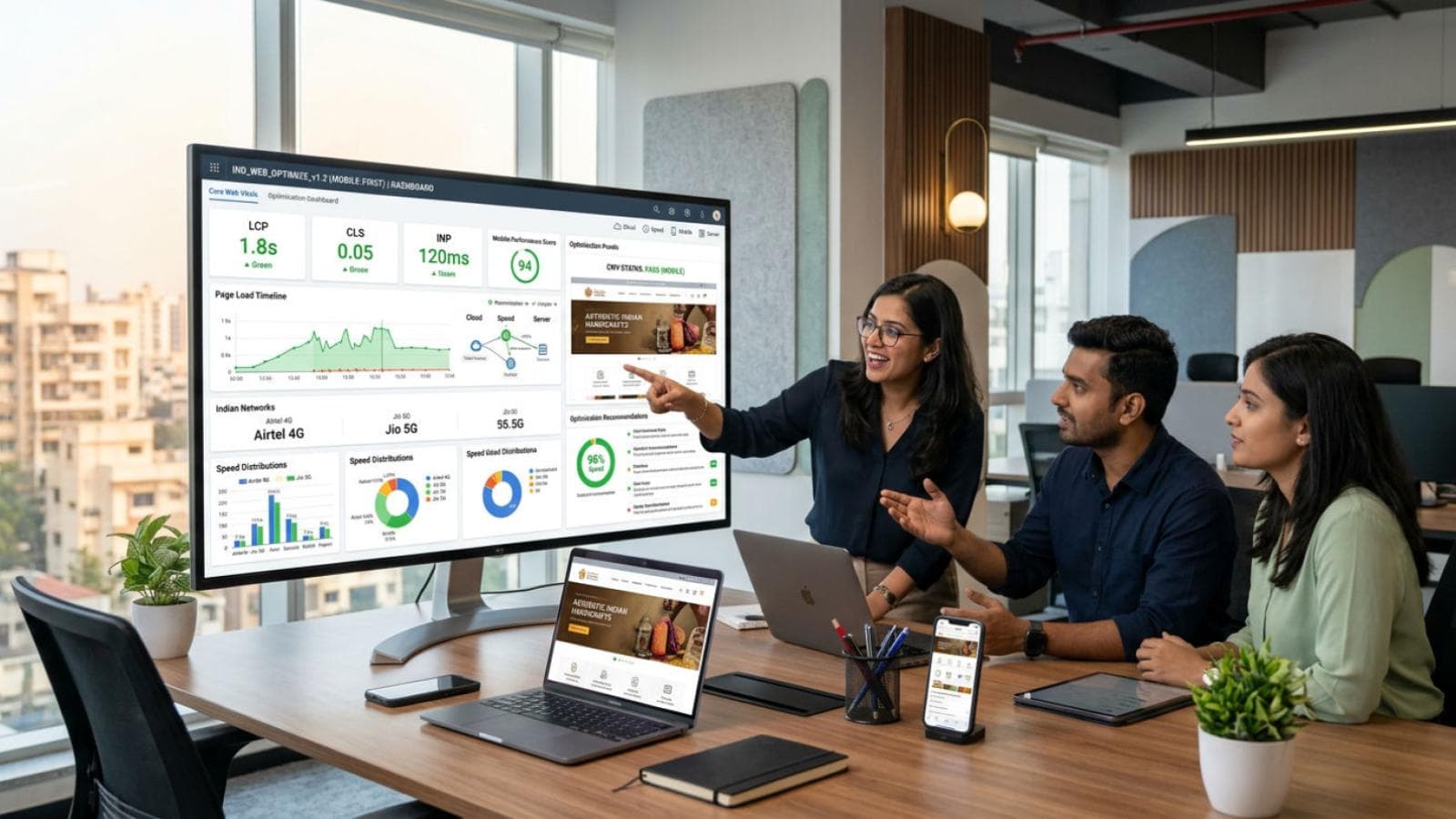
If you have ever run your website through Google PageSpeed Insights and seen red scores, you have met Core Web Vitals. They are three specific measurements Google uses to judge how fast and stable your website feels to a real user — and since 2021 they are a confirmed Google ranking factor. For Indian website owners on shared hosting, serving mobile users on 4G connections, these numbers matter more than in most other markets.
This checklist gives you plain-English definitions of LCP, CLS, and INP, actionable fix checklists per metric, a platform-specific issue table, and India-specific tips on hosting, CDN, and image sizes. By the end you will know exactly what to fix and how to verify it.
Already know your site is slow but do not want to debug it yourself? See our website speed optimization service for a done-for-you audit and fix.
What Are Core Web Vitals (and Why They Matter in India)?
Core Web Vitals are three page-experience signals Google measures on real user devices, not just lab tests. They reflect how fast content loads (LCP), how stable the layout is while loading (CLS), and how quickly the page responds to a tap or click (INP). Poor scores hurt both rankings and conversions.
India-specific context makes these even more critical:
- Over 80% of Indian web traffic is on mobile, typically a mid-range Android on 4G or fluctuating network conditions.
- Average Indian 4G speeds hover between 15–25 Mbps, with significant variation between metro and tier-2/3 cities.
- Shared hosting — the default for most Indian SMB websites — adds server response latency (Time to First Byte often exceeds 600ms on cheap Indian shared hosting).
- Many Indian websites use oversized images never optimised for mobile, which is the single biggest LCP killer.
The Three Core Web Vitals: Targets and Plain-English Definitions
LCP — Largest Contentful Paint
What it measures: How long it takes for the biggest visible element on the page — usually a hero image, a large heading, or a banner — to fully render on screen.
Target: Under 2.5 seconds for a Good score. Between 2.5–4.0s is Needs Improvement. Above 4.0s is Poor.
Why it matters for Indian users: On a shared hosting server in India, it is common to see LCP of 5–8 seconds on mobile. A user on 4G who waits that long simply leaves. Google's CrUX data shows Indian pages average significantly worse LCP than global benchmarks.
CLS — Cumulative Layout Shift
What it measures: How much the page layout unexpectedly jumps while loading — ads loading in and pushing text down, images without set dimensions, custom fonts swapping in. The score is a unitless number representing the total movement.
Target: Under 0.1 for a Good score. Between 0.1–0.25 is Needs Improvement. Above 0.25 is Poor.
Why it matters for Indian users: Indian sites often load Google Ads, WhatsApp chat widgets, and pop-up banners that inject into the page after the initial render, causing heavy layout shifts. This is both a ranking issue and a UX disaster on small mobile screens.
INP — Interaction to Next Paint
What it measures: How quickly the page visually responds to a user interaction — a tap, a click, a keyboard press. INP replaced FID (First Input Delay) as a Core Web Vital in March 2024. It captures the full interaction duration, not just the first input.
Target: Under 200 milliseconds for a Good score. Between 200–500ms is Needs Improvement. Above 500ms is Poor.
Why it matters for Indian users: Heavy JavaScript from page builders (Elementor, Divi), analytics scripts (multiple GA tags, Hotjar, Facebook Pixel), and chat widgets all compete for the main thread. On a mid-range Android phone this creates 400–800ms interaction delays that make your site feel broken.
Tools to Measure Core Web Vitals
- PageSpeed Insights (pagespeed.web.dev) — Shows both Lab data (Lighthouse) and real-world Field data (CrUX). Always check Field data — it reflects actual Indian users on actual devices.
- Google Search Console → Core Web Vitals report — Shows which URLs are failing based on real user data over 28 days. This is the authoritative view for ranking impact.
- GTmetrix — Use the India test location (Mumbai or Singapore is closest) for realistic timing. Avoid the default North American server — it will show artificially good numbers.
- Chrome DevTools → Performance tab — Set CPU throttle to 4x slowdown and network to Fast 3G to simulate a typical Indian mobile user. Identify the LCP element and main-thread blocking scripts.
- WebPageTest (webpagetest.org) — Run from Chennai or Singapore, on an Android device profile, for the most realistic Indian-mobile simulation.
Not sure which of your pages are failing Core Web Vitals? We run a complete field-data and lab-data speed audit and fix the issues — not just report them.
Get a Free Speed Audit for Your WebsiteLCP Fix Checklist
Work through this list in order. The first three items fix the majority of LCP problems on Indian sites.
- Identify the LCP element first. Open Chrome DevTools → Performance → record a page load → find the LCP marker. Know whether it is a hero image, a background image, or a heading. Different elements need different fixes.
- Compress and resize hero images. The LCP image should be served at the exact display size in WebP format. A 4MB JPEG hero on a mobile screen is the most common LCP killer on Indian websites. Use Squoosh, ShortPixel, or Cloudflare Images to compress. Target under 150KB for mobile hero images.
- Preload the LCP image. Add
<link rel="preload" as="image" href="/hero.webp">in the document<head>. This tells the browser to fetch the LCP image immediately instead of waiting for it to be discovered in the HTML. This alone can cut 1–2 seconds off LCP. - Upgrade or change your hosting. If your server TTFB (Time to First Byte) exceeds 600ms, no amount of front-end optimisation fully compensates. Consider moving from shared cPanel hosting to a VPS (DigitalOcean, Linode) or a managed WordPress host with Indian data centers (Kinsta, Cloudways with Mumbai nodes).
- Enable Cloudflare free tier. Point your domain through Cloudflare (free plan). Cloudflare has a large PoP (Point of Presence) presence in Mumbai, Delhi, Chennai, and Bangalore. Static assets — images, CSS, JS — are served from the nearest Indian PoP, dramatically reducing TTFB for Indian users. This is the single highest-impact free change for most Indian sites.
- Enable server-side caching. On WordPress, install WP Rocket or LiteSpeed Cache (free on LiteSpeed servers). On Shopify, CDN caching is automatic — focus on app scripts instead. On custom hosting, enable Redis object caching and full-page cache.
- Eliminate render-blocking resources. Defer non-critical JavaScript and load CSS asynchronously. PageSpeed Insights flags which scripts are blocking — defer them with the
deferorasyncattribute. - Use a fast web font strategy. Add
font-display: swapto all @font-face declarations. Preconnect to Google Fonts (<link rel="preconnect" href="https://fonts.googleapis.com">). Consider self-hosting your primary font to eliminate the extra DNS lookup. - Set explicit width and height on images. This helps the browser reserve space before the image loads, reducing layout shift and allowing earlier LCP calculation.
- Lazy-load below-the-fold images only. Do NOT lazy-load the LCP image — this is a common mistake. Apply
loading="lazy"only to images below the initial viewport.
CLS Fix Checklist
- Set explicit width and height on every image and video. This is the primary CLS fix.
<img width="1200" height="630">allows the browser to reserve the correct space before the file loads. Missing dimensions = guaranteed layout shift. - Reserve space for ads and embeds. Google AdSense, YouTube embeds, and Facebook widgets all inject content that shifts the layout. Wrap them in a container with a fixed min-height matching the expected content.
- Fix late-loading WhatsApp and chat widgets. Indian sites commonly add a WhatsApp floating button that pops in after 2–3 seconds, pushing content. Position it with
position: fixedso it does not affect document flow. - Avoid injecting content above existing content. Banners, cookie notices, and promotional bars that appear above the page body cause large CLS scores. Either render them server-side (so they are in the initial HTML) or position them fixed/sticky so they do not shift the document flow.
- Fix font swap layout shift. When a custom font loads and swaps in, it can change text dimensions and shift the layout. Use
font-display: optionalfor non-essential decorative fonts, or preload the font file so it arrives before first render. - Test on a real Android phone, not just desktop. CLS issues that appear minor on a wide desktop often score 0.3+ on a 360px-wide mobile screen because the same absolute shift is proportionally larger relative to viewport size.
- Check animations. CSS or JavaScript animations that change layout properties (top, left, width, height, margin) cause CLS. Use
transformandopacityinstead — these do not trigger layout recalculation.
INP Fix Checklist
- Audit your JavaScript payload. Go to Chrome DevTools → Coverage tab → record a page interaction → see which JS files are used and how much is unused. Unused JS is wasted main-thread parse time. For Indian mobile devices, every extra 100KB of JS adds approximately 500ms of blocking time.
- Break up long tasks. Any JavaScript task that runs for more than 50ms on the main thread blocks user interactions. Use the Performance tab to identify Long Tasks and break them up with
setTimeout(fn, 0)or the Scheduler API. - Remove or defer third-party scripts. Facebook Pixel, Google Tag Manager with 10+ tags, Hotjar, Intercom, Crisp — each one adds main-thread work. Audit via GTmetrix's waterfall. Load non-critical third-party scripts after the page is interactive (
requestIdleCallbackordefer). - Reduce page builder bloat. Elementor and Divi generate enormous amounts of JavaScript and inline CSS. Consider switching to a lighter page builder (Kadence, GeneratePress) or a block-based builder for new builds. For existing sites, dequeue Elementor scripts on pages that do not use them.
- Optimise event listeners. Too many event listeners (especially on scroll) block interaction responses. Use event delegation and passive listeners (
{ passive: true }) for scroll and touch events. - Minimise DOM size. Pages with more than 1,500 DOM elements are significantly slower to render and interact with, especially on mid-range Android devices. Paginate long lists and remove unnecessary wrapper divs from page builders.
- Use INP-specific tooling. The Web Vitals Chrome extension shows real INP scores during your browsing session. Install it and click around your site on a throttled connection to find which interactions are slow.
Platform-Specific Issues and Fixes
| Issue | WordPress Fix | Shopify Fix | Next.js Fix |
|---|---|---|---|
| Hero image LCP too slow | ShortPixel or Imagify for WebP + preload via WP Rocket | Use Shopify's native image CDN; switch theme hero to priority load | Use next/image with priority prop on hero |
| No CDN for Indian users | Enable Cloudflare free tier + WP Super Cache or LiteSpeed | Shopify's built-in CDN covers India; focus on app scripts | Deploy on Vercel (global edge) or self-host with Cloudflare in front |
| Render-blocking JS/CSS | WP Rocket or Autoptimize (defer JS, inline critical CSS) | Move app scripts to footer; audit installed apps — each adds scripts | Dynamic imports; next/script with strategy="lazyOnload" |
| CLS from ads and widgets | Fixed-height containers for Google AdSense; position:fixed for WhatsApp | Reserve height for app-injected banners; use app embed blocks | Reserve dimensions in JSX; use next/image with layout fill |
| High INP from page builder | Switch from Elementor/Divi to Kadence or FSE; dequeue unused scripts | Reduce installed apps; each app may inject JS on every page | Code-split heavy components; use dynamic import with ssr: false |
| Slow TTFB on shared hosting | Object caching (Redis) + LiteSpeed Cache full-page cache | N/A — Shopify manages infrastructure | Use ISR or SSG; avoid slow server-side data fetches on every request |
| Oversized images on mobile | Use responsive images (srcset) + WebP via ShortPixel Adaptive | Shopify auto-serves responsive images via img_url filter with width | next/image auto-generates srcset in WebP; set correct sizes prop |
India-Specific Optimisation Tips
Use Cloudflare's Free Tier — It Is the Highest-ROI Move for Indian Sites
Cloudflare has 11+ Points of Presence across India (Mumbai, Delhi, Chennai, Bangalore, Hyderabad, Kolkata, and more). When you point your domain through Cloudflare, your static assets — images, CSS, JavaScript — are served from the nearest Indian city, not from your hosting server in the US or Singapore. For a site on shared Indian hosting, this typically cuts LCP by 1.5–2 seconds for Indian users. The free plan covers unlimited bandwidth and basic performance features. Enable the following in the Cloudflare dashboard after setup: Auto Minify (HTML/CSS/JS), Brotli compression, Browser Cache TTL (1 month for static assets), and Rocket Loader (test carefully — it defers JS and can conflict with some plugins).
Image Sizes for Indian Mobile Users
Most Indian users access your site on a 360px–414px wide phone screen. A hero image displayed at 414px wide does not need to be 2,000px wide in the source file. Follow these size targets:
- Hero/banner images: 828px wide (2x for retina), WebP format, under 120KB
- Blog post featured images: 1200×630px, WebP, under 100KB
- Product images (ecommerce): 800×800px, WebP, under 80KB
- Thumbnails and icons: Under 20KB, use SVG where possible
- Background images: Serve a smaller version for mobile via CSS media queries
Shared Hosting Reality
If you are on HostGator India, GoDaddy India, BigRock, or similar budget shared hosting, the server itself is your biggest bottleneck. These servers typically return TTFB of 800ms–2,000ms because hundreds of sites share the same CPU and RAM. Cloudflare helps with static assets but cannot fix a slow TTFB for dynamic pages (which require a server response). Options in order of cost:
- Enable full-page caching (LiteSpeed Cache / WP Super Cache) — serves dynamic pages as static HTML, eliminating PHP execution time for most visits. Brings TTFB to under 200ms on cached pages.
- Move to a managed WordPress host with Indian infrastructure — Cloudways (Mumbai node, DigitalOcean 1GB plan at ~₹900/month), WPX Hosting, or Kinsta.
- Move to a VPS (DigitalOcean, Linode, Vultr — Mumbai datacenter) — full control, higher performance, requires more technical management.
How to Verify Your Fixes
- After making changes, clear all caches (hosting, CDN, plugin cache) before testing.
- Run PageSpeed Insights on both mobile and desktop. Check Field data (real users) not just Lab data.
- Wait 28 days after fixing issues — Google Search Console Core Web Vitals report shows real-user data with a lag.
- Check GTmetrix from the Mumbai or Singapore test location, not the default US server.
- Use the Web Vitals Chrome extension while navigating your live site to see real INP scores per interaction.
Want a fast website built to score green on Core Web Vitals from day one — on the right stack, with the right hosting, for Indian users?
Build a Fast, High-Scoring WebsiteFrequently Asked Questions
What are the Core Web Vitals targets for 2026?
The targets remain the same as 2024–2025: LCP (Largest Contentful Paint) under 2.5 seconds, CLS (Cumulative Layout Shift) under 0.1, and INP (Interaction to Next Paint) under 200 milliseconds. These are the thresholds for a Good score. Between Good and Poor is Needs Improvement (LCP 2.5–4s, CLS 0.1–0.25, INP 200–500ms). Google uses field data from the Chrome User Experience Report (CrUX), not just lab data, so the scores reflect real users on real devices.
Why is my Core Web Vitals score different on mobile vs desktop?
Mobile Core Web Vitals scores are almost always worse than desktop scores because mobile devices have slower CPUs, slower network connections, and smaller viewports. Google primarily uses mobile data for ranking (mobile-first indexing), so the mobile score is the one that matters most for SEO. Always test from a mobile profile and use the mobile report in Google Search Console — desktop scores are largely irrelevant for ranking purposes.
Does Core Web Vitals affect Google rankings in India?
Yes. Core Web Vitals is part of Google's Page Experience signal, which is a confirmed ranking factor. However, Google has been clear that content relevance and quality outweigh Core Web Vitals — a highly relevant page with poor Core Web Vitals can still rank above an irrelevant page with perfect scores. That said, for competitive Indian search queries where two pages are similarly relevant, Core Web Vitals becomes a tiebreaker. Fixing poor scores — especially LCP — also directly improves bounce rates and conversions, which have their own indirect SEO benefits.
How long does it take for Core Web Vitals fixes to show in Google Search Console?
Google Search Console's Core Web Vitals report uses a 28-day rolling window of real user data from CrUX. This means fixes you deploy today will not be fully reflected in the report for up to 28 days. In practice, you will often see a trend improvement within 7–14 days if the fix is significant. Do not panic if scores do not update immediately — check the trend line, not just the current snapshot. PageSpeed Insights field data updates faster (usually within a few days) for high-traffic pages.
Is Cloudflare free tier enough to improve Core Web Vitals for Indian websites?
Cloudflare free tier is sufficient to improve LCP significantly for most Indian websites, primarily by serving static assets (images, CSS, JS) from Indian edge nodes rather than a distant origin server. It reduces TTFB for cached assets dramatically. However, it does not fix slow TTFB for dynamic pages that bypass the cache — that requires server-side improvements (caching plugin, better hosting). For most Indian SMB sites on shared hosting, Cloudflare free tier plus a full-page caching plugin is the highest-ROI combination available at zero additional cost.