Workflow-First Scoping
Roles, steps and records are mapped and approved before any screen is built, so scope follows the process.
We design and build web applications for the way your business actually works: portals, dashboards, internal tools and integrations, with the workflow and data model agreed before any code is written.

Many businesses run on a mix of spreadsheets, shared inboxes and tools that only partly fit. Our custom web application development services replace that mix with one application built around your workflow, your users and your data. It suits businesses looking for a web application development company in India that offers bespoke web application development without bending their process around a template.
We start by mapping how the work really happens, agree a first release, then build and test it in stages. If what you need is a specific system, see our custom CRM development or project management systems. For a marketing site, see web development.
Roles, steps and records are mapped and approved before any screen is built, so scope follows the process.
Next.js, React, Laravel, PHP and MySQL are the tools we use, stated openly so your team knows what it inherits.
Access rules are designed with the workflow, so each user group sees and changes only what suits their work.
Written notes on data, roles and integrations let your team or another developer maintain the system.
Selected to fit each project. They are not client logos, partnerships, certifications or endorsements, and they carry no promise of performance.
Front-end framework for fast, structured application pages
Interactive interfaces for forms, tables and dashboards
Typed code so changes are caught before release
Back-end framework for business rules, queues and APIs
Server language behind the Laravel back end
Relational storage for records and their relationships
API layer where a project calls for one
Business web application development pays off when software must follow a process that ready-made tools do not fit. When it does not, teams fall back on side spreadsheets and manual re-entry. These are the problems we hear most often.

Approvals, orders and customer records move through shared sheets and inboxes, so nobody can say who owns a task or which version is current.
A generic tool handles ninety percent of the process and the rest is patched with manual steps that only one person understands.
Data is retyped between accounting, orders, support and reporting tools, which invites mistakes and delays.
An old tool still runs the business, but changes are risky, documentation is missing and the one person who knows it may leave.
Managers wait for someone to compile numbers from several places, and the figures differ depending on who built them.
These services work together as one build, from requirements to support. Each project is scoped from this menu, and nothing here is included by default.
We map the workflow, users and data before choosing screens, so the architecture follows the business process.
Discovery starts with the people who use the process today. We list user roles, the steps each one performs, the records that move between them and the systems the application must talk to. From that we draw a data model, agree the modules for a first release and decide what waits for later. Architecture choices, such as how data is structured and where integrations sit, are written down so growth in users or features does not force a rebuild. Nothing is estimated until this map exists and you have confirmed it.
Turns a loose idea into a written scope, data model and build order your team has approved.
Interfaces are designed for the jobs people do daily, such as entering records, reviewing queues and approving work.
Application screens differ from marketing pages: people use them for hours, so speed, clarity and error handling matter more than decoration. We sketch the key flows, test them against real tasks from your team, then refine layouts, forms, tables and empty or error states before development begins. Accessibility basics such as keyboard use, readable contrast and clear labels are part of the design review. Working from a shared design reduces rework during the build, because stakeholders react to screens instead of descriptions.
Makes the application quick to learn and hard to misuse, before build effort is spent.
Responsive, maintainable interfaces built in React and Next.js, with typed code that is easier to change safely.
For interactive screens, we build with React and Next.js, using TypeScript so changes are caught early. Components are reused across screens, so a new module looks and behaves like the rest of the application. Pages are responsive for desktop and mobile browsers, and data-heavy views are built to stay usable with large tables and filters. Where a screen is simpler, we may use server-rendered pages instead of heavy client code. We choose per screen, because the aim is an application your team can maintain, not the most elaborate stack.
Delivers the part of the application people see and use, built to be changed later.
PHP web application development on Laravel and MySQL, structured for business rules, permissions and data.
The back end holds the rules that make an application dependable: who may see or change a record, what must be filled in, and what happens when a step is completed. We use Laravel and PHP with a MySQL database, modelling records and relationships carefully so reports and integrations stay consistent. Role-based permissions are designed with the workflow rather than added at the end. Background jobs handle slow tasks such as imports or email, so screens stay responsive. Secure defaults, such as validated input and hashed passwords, are part of normal build practice.
Keeps business rules, permissions and data consistent behind every screen.
Connect the application to payment, email, messaging or accounting tools through documented, testable interfaces.
Few applications work alone. We design API endpoints when other systems need your data, and we handle third-party API integration for services you already use, such as payment providers, email delivery or messaging platforms. Each integration is scoped before it is built: what data moves, who can trigger it, how errors are logged and what happens when the other service is unavailable. Providers change terms and limits, so we record those assumptions in the handover notes. This keeps workflow automation inside the application predictable instead of fragile.
Lets the application exchange data with your other tools without hidden manual steps.
Admin dashboards, customer or partner portals and subscription-style products built around your records and roles.
Many projects fall into a few shapes: an admin dashboard for managing records, a portal where customers or partners sign in to see their own information, or a multi-user SaaS product. SaaS application development adds subscription accounts and separated customer data. Custom web portal development means defining exactly what each audience can see and do. Dashboard accuracy depends on the data entered. Two specific systems we build are a custom CRM for enquiries and pipelines and a custom project management system for delivery work, each with its own page.
Gives each audience a tailored view of the same underlying records.
Move older software to a modern web application with testing first, then keep it supported after launch.
If your current software is a desktop tool, an aging system or a tangle of spreadsheets, we review what it does, what data it holds and what can be exported. A rehearsal import and a redirect or cutover plan reduce risk, though a perfectly clean migration cannot be promised. Before launch we test roles, workflows and integrations, then deploy to cloud hosting chosen for the project. Afterwards, fixes, small changes and monitoring can be handled under a support arrangement. Progressive web application development, such as installable pages, can be added where it suits.
Moves existing work onto a maintainable base and keeps it healthy after launch.
As a web app development company, we focus on process, a clear stack and honest scoping so the application stays useful after launch.
We map roles, steps and records first, so the application matches how work really happens rather than a template.
Next.js, React, Laravel, PHP and MySQL are stated plainly, so you know what the system is built on and who can maintain it.
Who can view, edit or approve is decided during discovery and built in from the first release, not added afterwards.
Each connection lists what data moves, who triggers it and what happens when the other service fails, before it is built.
Written handover notes mean no lock-in, and a support option keeps the application updated after launch.

How the Engagement Works
Each stage ends with something you can review and a decision only you can make, so the application is built on agreed ground.
What must the application do, and for whom?
We interview users, list roles and steps, and map the records and systems involved. Output: a written workflow map and module list. Checkpoint: you confirm the map and the first-release scope before design starts.
How should it be structured and what will people see?
We draft the data model, integration approach and key screens, and review them against real tasks. Output: architecture notes and clickable screen designs. Checkpoint: you approve the design and the estimate.
Does the working system match the approved design?
We build the front end, back end and agreed integrations in stages, sharing a working version as modules complete. Output: a staging application your team can try. Checkpoint: you accept each module or list changes.
Is it tested, and is it ready to go live?
We test roles, workflows and integrations, rehearse any data import and deploy to the agreed hosting. Output: test results and a launch checklist. Checkpoint: you decide when the application is ready for real users.
What needs to change now that people are using it?
We watch for errors and gather early feedback, then plan improvements. Output: handover documentation and a prioritized change list. Checkpoint: you choose whether to continue under a support arrangement.
The first conversation is about your situation, not a sales pitch. We aim to leave you with a clear view of what a custom application would involve, or whether a ready-made tool fits better. It covers:
Please do not include passwords, customer exports or sensitive credentials in this form. We will ask for data later, through a secure route.
This form is temporarily unavailable.
Please contact us directly and we will pick this up straight away:
Selected Work
These are website projects, not web application case studies. They show our delivered web work; application scope is assessed separately in a consultation.
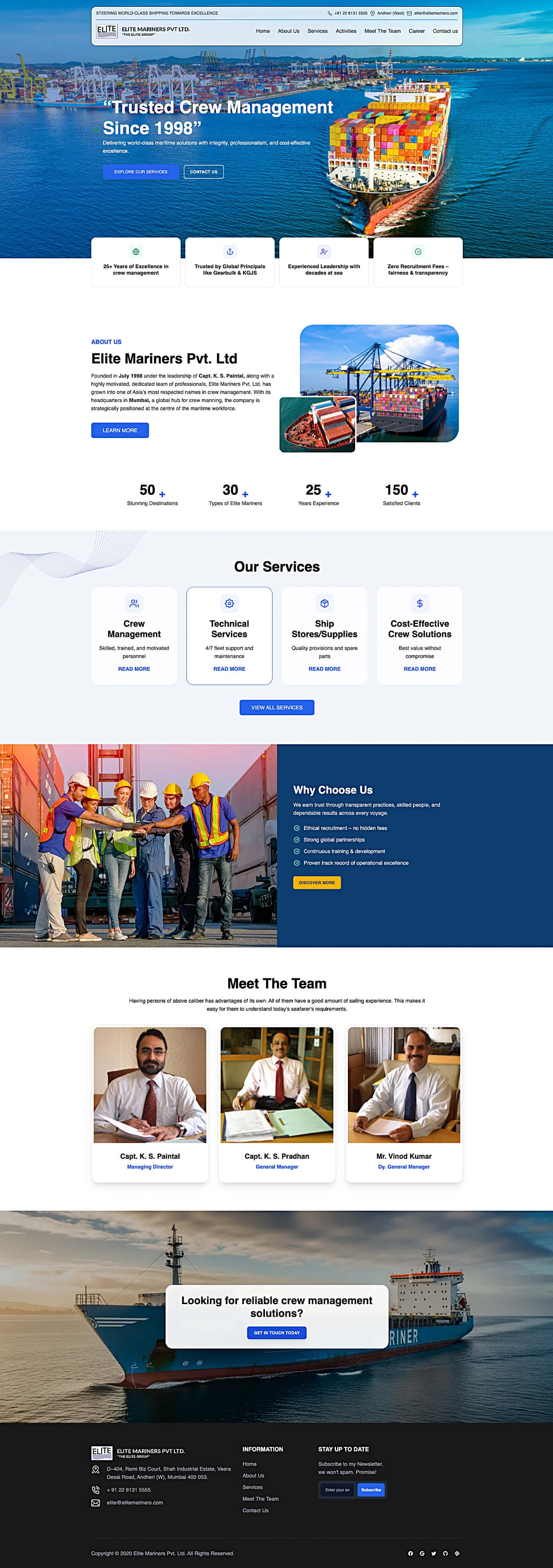
Maritime website presenting crew management, technical services and quick enquiry routes.
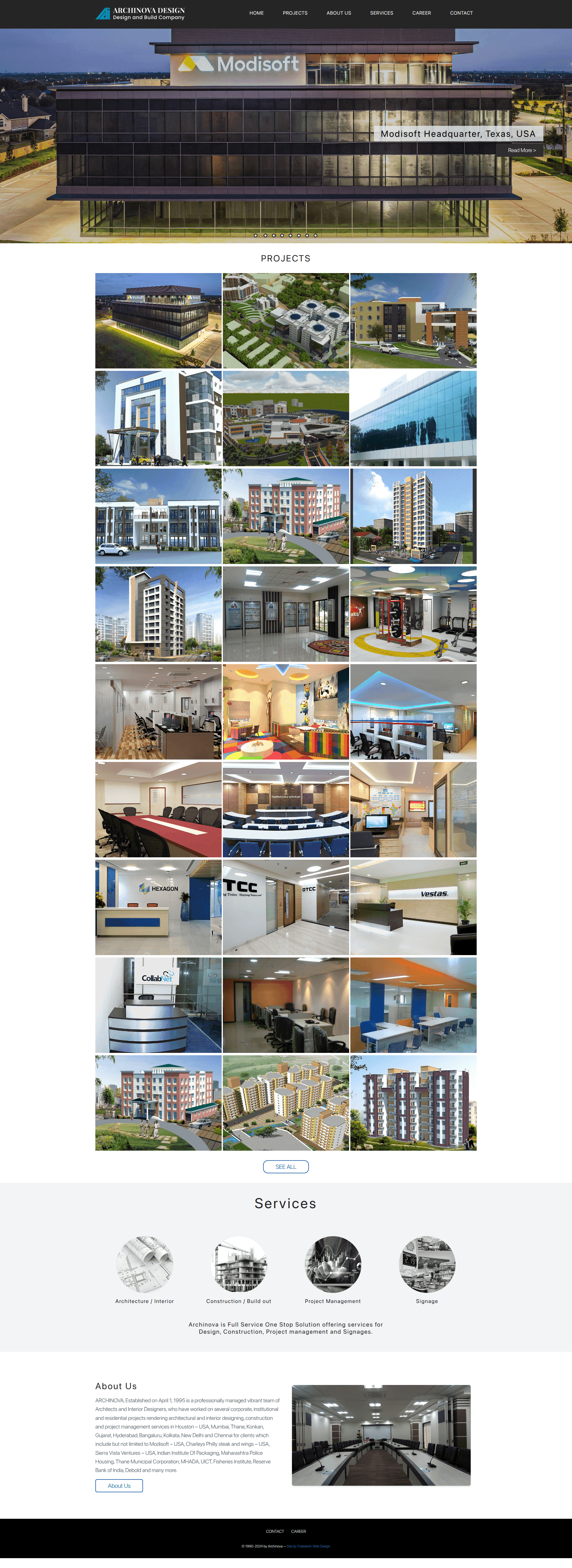
Architecture firm website showcasing commercial and residential projects with clear consultation paths.
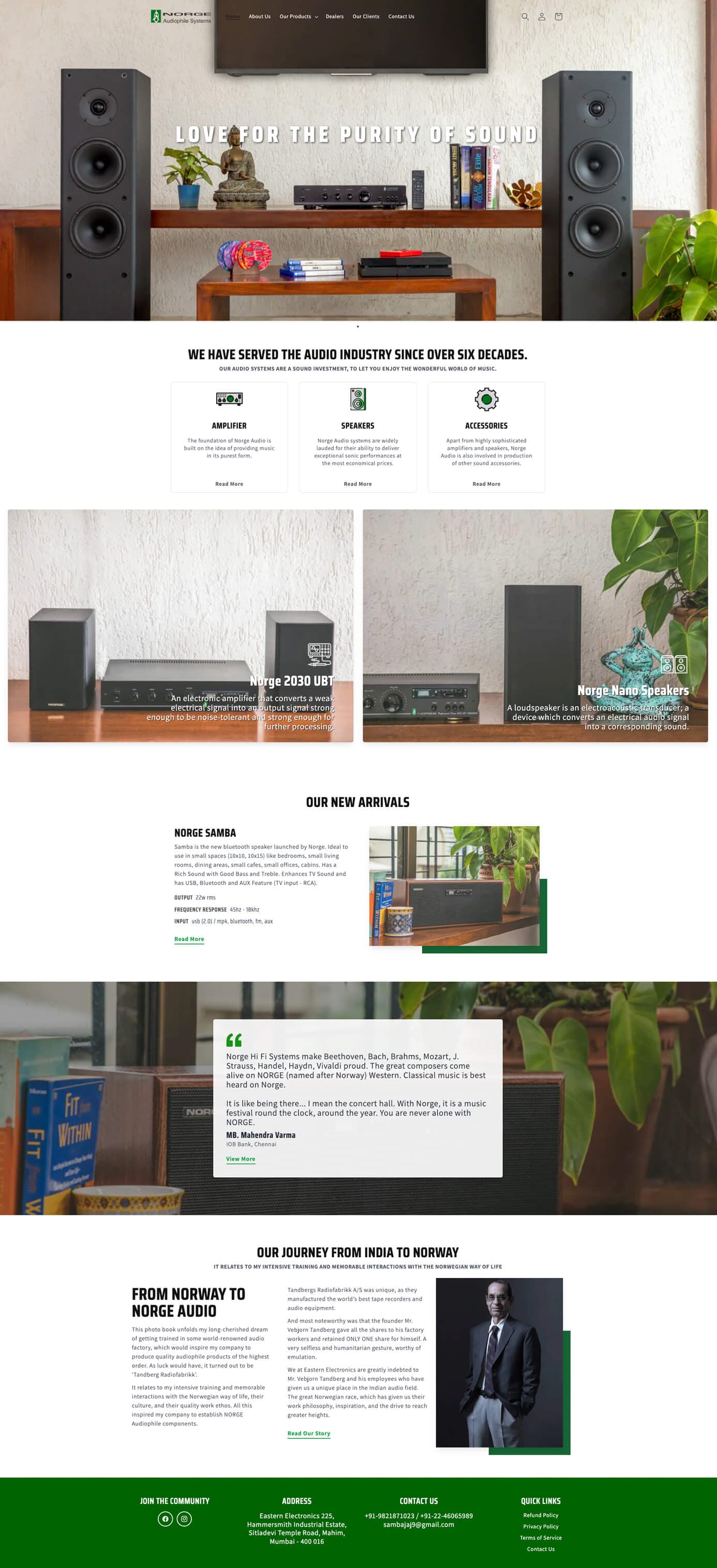
Audio equipment website with structured categories, product pages and customer enquiries.
FAQs
Straight answers on scope, technology, cost and what is not included by default.
Not sure whether you need a custom application? Share your process and we will say so plainly.
A website mainly presents information to visitors. A custom web application lets signed-in users do work: enter and review records, follow a workflow, see a dashboard or exchange data with other systems. It is also different from a mobile app, which is installed on a phone, and from a CRM, which is one specific kind of web application. If you mainly need pages that explain your business, a website is the better fit, and we will say so.
We build front ends with Next.js and React in TypeScript, back ends with Laravel and PHP, and store data in MySQL. Node.js is used for an API layer where it fits. We choose per project and per screen, because the aim is something your team can maintain. These are tools we use, not partnerships or certifications.
Cost depends on the number of user roles, modules, integrations and the state of any existing data, so we give a scoped written estimate after discovery instead of a standard price. Hosting and ongoing maintenance are separate costs that we state openly. Share what the application should do and we will explain what drives the estimate.
It depends on scope. A focused first release with a few modules takes less time than a multi-role platform with several integrations. We agree a build order after discovery, release in stages for review and offer no fixed timeline before the scope is confirmed.
Usually yes, depending on what the current system can export. We review the existing workflow and data first, rehearse an import on a copy and report what matched and what needs a decision. We cannot promise a perfectly clean migration, because that depends on the quality of the source data, but you see the results before anything goes live.
Security is handled as part of normal build practice: validated input, hashed passwords, role-based permissions designed with the workflow and sensible handling of sensitive data. We do not sell security testing as a separate service. For hardening of an existing site, see our website security page. Any specific requirement from your industry is discussed during discovery.
Yes. After launch, fixes, small changes and monitoring can be handled under a support arrangement, and larger changes are scoped as new work. We make no commitment on availability levels. See our website maintenance page for how support is structured.
Yes. If your project involves sensitive processes or data, raise confidentiality in the first conversation and we will discuss how to handle it before you share detail. Please do not send passwords or customer exports through the enquiry form.
Locations
We proudly serve clients in major cities worldwide, delivering exceptional web design, development, and digital marketing services.